
Social Media Security: Tips to Protect Your Privacy and Stay Safe Online
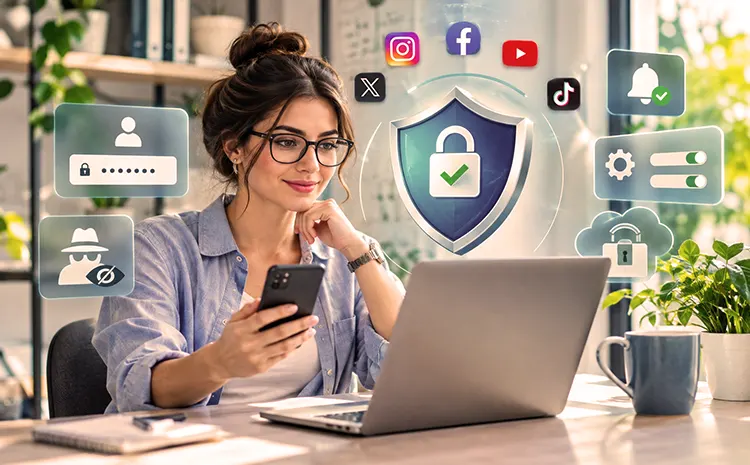
Social networks allow you to communicate with family, friends, colleagues, and acquaintances, share your photos and videos, and much more. However, you shouldn’t underestimate the dangers of social networks—such as identity theft or spying on your private information. We have easy-to-implement tips for you to easily secure your social life online.
Top Social Media Security Tips to Protect Your Accounts
1. Use Strong and Unique Passwords
- Use different and complex passwords for logging into social networks. A secure password requires that you can easily remember it.
- The longer the password, the better. The password should be at least eight characters long.
- Generally, all available characters can be used for a password, including uppercase and lowercase letters, numbers, and special characters.
- The complete password should not be a dictionary word. Common number sequences or keyboard patterns are also unsuitable as secure passwords.
- Adding simple numbers or special characters before or after a normal word is not recommended.
A password manager can simplify the management of multiple passwords. It’s an application that manages and can also generate secure passwords for your online and user accounts. You’ll need a master password to use it. This is the password you need to access the password manager. Therefore, it should be a strong password that you can easily remember. Under no circumstances should you share your password with anyone.
Continue Reading: Tips For Better Password Management
2. Enable Two-Factor Authentication (2FA)
Use a password to access your social media accounts. Two-factor authentication This means that the first factor is, for example, a secure password. The second factor for additional authentication can be, for example, a hardware component that acts as a key. This could be a smartphone, a smart card, or a special USB stick.
A one-time code sent by the provider is also frequently used. This method provides significantly better protection for your user account, because criminals who have stolen your password still cannot log in to your account without the second factor.
3. Avoid Suspicious Links and Messages
Online criminals use social networks to lure users to malicious websites via messages or links in chats. These websites allow them to steal login credentials or infect devices with malware. A single careless click can lead to malware installing on your device. Therefore, be especially suspicious of messages from strangers and never click on any links. Even the profiles of known contacts can be misused if third parties have gained access to them, for example, through identity theft.
Other Important Social Media Security Tips to Protect Your Privacy and Devices
4. Be Careful When Installing Third-Party Apps and Plugins
Many social networks allow you to install third-party applications, such as games. Depending on the network, these are referred to as apps, add-ons, or plug-ins. What they all have in common is that they let you expand your profile with additional functions or customize it to your personal needs. However, online criminals also create or hijack such applications and use them to gain access to your profile. Therefore, always check the trustworthiness of providers and sources.
5. Protect Your Mobile Devices
Social networks are often accessed via mobile devices such as smartphones or tablets. Therefore, ensure good basic protection for your software and hardware. Operators or third-party providers offer apps for access. These apps frequently access sensitive data stored on the mobile device, including your address book, photos, videos, and location information. Furthermore, apps typically keep you automatically logged into the social network. If your device is lost, this information can be exploited by the finder or thief impersonating you. Protect access to your mobile device with a passcode, PIN, password, fingerprint, or facial recognition.
6. Be Selective When Accepting Friend and Contact Requests
Identity theft is one of the risks of the digital age. Criminals assume another person’s identity to impersonate them, communicate in their name, or potentially misuse it for crimes or illegal online transactions. Often, simply copying a person’s profile picture and name and creating a new user account is enough. The perpetrators could even be people you know. If you receive suspicious contact requests from acquaintances, verify the authenticity of these messages outside of social media.
Only add people to your friends or contacts list if you are certain their user profiles are authentic. The age of a profile and its previous posts can serve as indicators of authenticity.
7. Protect Your Privacy and Limit the Personal Information You Share
Every social network offers numerous privacy settings. Use these settings, especially if you only want your friends to see your profile and posts. You can also configure search engines to ignore your profile. The less personal data you publish, the less of an attack surface you offer criminals who might want to steal your digital identity.
Continue Reading: 5 Tips For More Privacy On The Internet
8. Delete Social Media Accounts You No Longer Use
Should you wish to deactivate your account, back up your data outside the network if necessary and then delete it from the account. Subsequently, carefully follow the provider’s procedure for deleting the user account. In some cases, the process also includes not logging in again for a certain period of time.
Conclusion
To stay safe on social media, start with the basics. Use passwords that are hard to guess and turn on two-factor authentication. Don’t share too much about yourself and check your account often to see what’s going on. If you do these things, you can lower your chances of getting hacked and keep your private stuff private when you’re on social media sites.