
How Do Phishing Scammers Steal Your Personal Data?
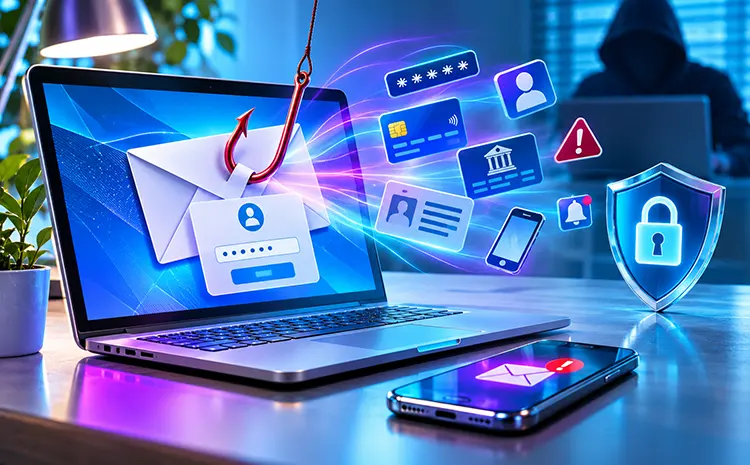
Phishing scammers are after sensitive and private user data, such as email addresses. But what do criminals actually want with it?
A glance at your email inbox reveals messages seemingly from your bank. You’re told you need to log in to update your information or that your login details have expired. While this might initially sound plausible, it’s actually a scam. The email isn’t from your bank at all but from criminals sending you a dangerous phishing email. How can you tell?
As a general rule, banks and other reputable providers will not ask you to disclose sensitive access data such as passwords, PINs, or TANs via email, SMS, or telephone.
But what do phishing scammers want with your email address? The answer is simple: The criminals want to send you an email and trick you into opening a link or downloading an attachment. Links can lead to fake websites where your login credentials are stolen. Attachments can also contain malware. This allows criminals, for example, to spy on your online banking information and enrich themselves at your expense.
What Is Phishing?
Phishing is a form of data theft on the internet. The term is a combination of the English words “password,” “harvesting,” and “fishing.” In many cases, criminals want to steal sensitive data such as passwords or PIN codes for online banking. To this end, they send you emails that look like official letters from a bank or other institution. If you enter the requested login details on a fake website, they can end up directly in the hands of the criminals. Because the criminals have only one goal: to empty your account once they have your data.
Types Of Phishing Attacks
- Email phishing: These are spam emails that pretend to be from banks, companies, or services you use.
- SMS phishing (smishing): Scammers send fake texts, known as smishing, with bad links or asking for private info, trying to trick you into giving away sensitive stuff.
- Voice phishing (vishing): Scammers often make phone calls and pretend to be people who work at your bank, the government, or a company that helps you with problems.
- Social media phishing: People use social media to trick others with fake profiles, messages, ads, and links to get their personal info.
- Spear phishing: Spear phishing is a type of phishing where the bad guys send messages that are meant for a particular person or group, making it seem like it’s just for them.
How to Protect Yourself From Phishing Attacks
Examine your emails carefully. Sometimes you can spot dangerous phishing emails at first glance, for example, by their unprofessional design or incorrect spelling.
But beware: Phishing emails can now look deceptively real. Never click on suspicious links in emails. And please do not download any unexpected attachments. If you are unsure whether an email is legitimate, contact the supposed sender using an independently verified contact method. Do not use contact information from the suspicious email itself.
Phishing Checklist: How to Recognize and Deal With Suspicious Emails
- Check the sender’s email address: Take a look at the sender addresses. The easiest way to do this is via the email header, i.e., the source code of an email. Does the email address seem cryptic or not match the stated sender? As a rule, such behavior is a warning sign.
- Be cautious with TAN requests: Be extremely suspicious if you are asked to enter multiple transaction authentication numbers (TANs) at once. Often, fraudsters will also demand TAN entry and threaten account blocking or a supposed expiration date for the TAN procedure if you refuse. Only authorize TANs for transactions you have initiated yourself.
- Be cautious of requests to verify accounts: You should be very concerned if you receive an email asking you to confirm your bank or customer account by entering your login details.
- Avoid suspicious software and certificate installations: You should also simply ignore any request to sign up for a demo account and install security certificates, software, or apps.
- Be careful with suspicious emails: If you get an email that looks like a scam, just delete it. You can also tell the report the email to the company or organization it pretends to be from so they can warn others. This helps them figure out what’s real and what’s not. Make sure to mark it as junk mail in your email account too.
- Mark phishing emails as spam: Additionally, mark any identified email as spam in your email program. This can help your email program filter out similar unwanted messages in the future.
What to Do If You Click a Phishing Link
If you click on a suspicious link by mistake, stay calm. Act fast and you can lower the chance of someone stealing your info, hacking your account, or taking your money.
- If you just clicked on the link, shut down the site right away. Don’t put in any private info, like your login or payment details, and don’t download anything.
- If you entered your password, change it right away on the official site or app. Also, if you use that same password for other accounts, you should change those too.
- If someone got your banking info, call your bank right away to tell them what happened and lock down your account. If you okayed a weird transaction, ask the bank if they can cancel or undo it.
- If you got a weird file, don’t open it. If you think your device has a virus, unplug it from the internet and use a good antivirus program to check for problems.
- Protect your accounts by turning on two-factor authentication when you can—it’s like adding an extra lock to keep your info safe.
- Keep an eye on your accounts: Look over your bank statements and email to make sure nobody’s been messing with them. Check for weird transactions or login attempts you don’t recognize. Also, see if anyone’s made changes to your accounts that you didn’t like.
What to Do If You Have Fallen Victim to a Phishing Scam
Here’s what to do if you’ve fallen victim to a phishing trap.
If you discover later that you’ve been affected by a phishing scam, your first step should be to check which data has been compromised. Then, change your login credentials with the relevant provider. Carefully review your bank statements and any letters you’ve received. If you’ve entered any online banking information, act immediately and contact your bank. Also, check whether your online banking access or any affected cards need to be blocked.