
What’s Is The Difference Between A Virus And Malware
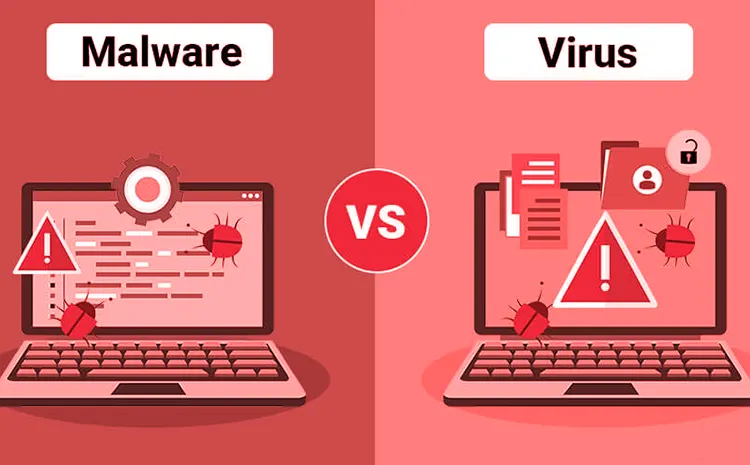
Is malware the same as a virus? Contrary to popular belief, no. Although they are rarely discussed separately, these two types of cyberattacks are different. Either one can infect your device at any time, so understanding what they are is extremely important.
Here’s a guide on malware vs viruses and how to protect yourself.
Malware vs Virus: Definitions
Malware is a problem. Everyone knows that. But what exactly is this problem?
By definition, malware is “specifically designed to disrupt, damage, or gain unauthorized access to a computer system.” It can be a file, an application, software, or code. Regardless of its various forms, malware always has the same purpose: to carry out a cyberattack.
Viruses are malicious programs that spread through a computer, network, or server by self-replicating. They are usually distributed through files and programs. A virus will infect your computer after you download an infected application or open an infected email attachment.
Computer viruses date back to 1982, when the first one was developed for the Apple II. Since becoming public knowledge, viruses have become synonymous with illegal online activity. As you will soon learn, this claim is an oversimplification.
In reality, malware and viruses can take many different forms:
| Malware | Virus |
| Most people are familiar with the Trojan horse. This malware disguises itself as a legitimate file or program to trick the user into installing it. | Polymorphic viruses are sophisticated viruses that can rewrite their code and evade antivirus detection programs. Newer variants of this virus involve AI. |
| Spyware is a type of malware that is designed to track or record information about user behaviour. Spy programs often collect credit card information and other sensitive data. | An overwriting virus is a common type of computer virus. As its name suggests, it infects files and programs by overwriting their contents. |
According to recent reports, 560,000 new malware programs appear every day, and there are currently over 1 billion malware programs in existence. You may also be familiar with ransomware, adware, worms, rootkits, keyloggers, macro viruses, browser hijackers, and so on.
Key Differences Between Malware and Viruses
Let’s analyse some of the fundamental differences between malware and viruses.
Operating Mode
Cybercriminals need malware to gain access to a computer, system, network, or server. While a virus also works by inserting itself where it’s not welcome, it doesn’t continue communicating with its sender like malware does. Malware sneaks in through a system vulnerability and establishes a backdoor.
Unlike malware, a virus operates independently. It enters a computer attached to a file or program and remains dormant until you activate it. In most cases, a virus is activated by clicking the icon of an infected file or program to install or open it or by clicking on an infected image filename.
Program Objective
Why does malware need to communicate with the attacker after gaining unauthorized access? It’s simple: its job is to collect data and send it back. Depending on the type of malware and the attack’s intent, it can gather anything from legitimate files to payment information.
In contrast, a virus is typically designed to inflict some form of damage. For example, once activated, it can spread to delete or overwrite files, disable security programs, take control of critical system operations, or encrypt your data until you pay a hefty ransom.
Methods of Infection and Spread
We’ve already mentioned that malware looks for vulnerabilities in the system to gain access to a computer, network, or server. Only certain types of malware infiltrate systems through malicious downloads and attachments, similar to viruses. The primary method of malware infection is social engineering, such as phishing.
The most recognizable characteristic of any computer virus is its ability to replicate and spread. You can contract one by downloading a file or software or by opening a malicious email. Damaged storage devices and infected websites can also spread computer viruses.
Replication Capacity
The ability to spread through self-replication is a distinguishing feature that separates viruses from other types of malware. Besides viruses, worms are the only malicious programs that can copy themselves to spread to other computers or networks.
When a virus infects a computer and the user unknowingly activates it, it begins to copy itself or spread attached replicas to other files and software throughout the device. Occasionally, these copies overwrite the host application, making them difficult to remove.
Elimination and Detection Mechanisms
Would you be able to recognise a malware or virus infection? Some types, like ransomware or direct-action viruses, want you to know they’ve taken control of your computer. Others remain silent until you detect them. Here are some telltale signs of a malware or virus infection:
- Slow performance
- Sudden accidents
- Annoying pop-up windows
- Unknown software
- Access denied
- Terrifying warnings
- System tools disabled
In terms of removal methods, malware and viruses don’t differ much. In most cases, you can remove them with a broad-spectrum or specialised antivirus or antimalware tool. Other situations, such as malware spreading to the computer’s memory, require expert intervention.
Conclusion
As you can see, malware and viruses are not synonymous, as we often use the terms. Don’t take either one for granted. They can cause serious damage if you leave your computer vulnerable to threats. Therefore, perform regular updates and data backups, and get a high-quality antivirus tool.
Also Read: Know The Virus Protection Under Linux